WordPress tools & themes
Free WordPress tools that do the job, not describe it
Most pages tell you which image sizes WordPress makes from an upload. The Image Size Lab makes them from your own photo, at WordPress's dimensions and crops, in your browser. Nothing is uploaded anywhere.
Free. No signup. Your files never leave your computer.
WordPress will generate
- thumbnail 150 × 150 hard crop
- medium 300 × 200
- medium_large 768 × 512
- large 1024 × 683
- 1536x1536 1536 × 1024
- 2048x2048 2048 × 1365
- -scaled 2560 × 1707
Built around what actually breaks
Blurry uploads, a 40 GB media library, an image cropped through someone's head. These are the real WordPress problems, and each tool here fixes one of them.
Nothing is uploaded
Every tool runs entirely in your browser. Your images and your config never touch a server — ours or anyone else's. That is not a privacy promise, it is just how it is built.
No upload caps, because nothing is uploaded
Tools that upload your files have to cap you — every file costs them CPU. We do not upload anything, so we set no file-size cap, no daily quota and no paid tier. The only limit is what your browser can process.
Tools
Finish the task, close the tab
Each one does a single WordPress job properly, and then gets out of your way.
WordPress Image Size Lab
Drop an image in. See every copy WordPress will make of it.
Open toolWordPress PHP Fatal Error Decoder
Paste the error. See which plugin it points to.
Open toolwp-config.php Generator
Build a correct wp-config.php without copy-pasting from a 2014 blog post
Open toolWordPress .htaccess Generator
The rules WordPress needs, plus the hardening rules it does not ship with
Open toolWordPress robots.txt Generator with AI Crawler Toggles
The standard WordPress rules, plus a toggle for each AI crawler grouped by what it does
Open toolWordPress theme.json Generator
Build a version 3 theme.json and see which half of it changes your site
Open toolGuides
Start here
Six common WordPress problems, one from each topic the guides cover.
Why WordPress Images Look Blurry After Upload, and the Fix
Check whether WordPress capped your upload at 2560px, then raise the cap.
Errors & crashesFix the WordPress Block Editor Not Loading
Use the browser console, the REST API and WP_DEBUG to find the plugin that broke the editor.
ConfigurationHow to Increase the Upload Limit in WordPress on Any Host
Find your current upload limit, then raise it in the right place for your host.
Server & .htaccessWordPress Default .htaccess File: Code and How to Restore It
The rewrite rules WordPress writes for pretty permalinks, and how to restore them when posts 404.
SEO & crawlersDisable WordPress AI Features: Core vs Plugin vs Host
Find which plugin, host or dashboard added an AI panel, and switch it off there.
ThemesWordPress Child Theme Not Working? Fix CSS Not Loading
Why a child theme's CSS does not load, and how to enqueue it so your styles win.
Themes
Free WordPress themes, genuinely free
Five classic themes on WordPress.org, first listed between 2020 and 2022, and four newer block themes you download here. All are GPL-licensed. Each page lists the theme's requirements, and the classic ones show their real WordPress.org figures.
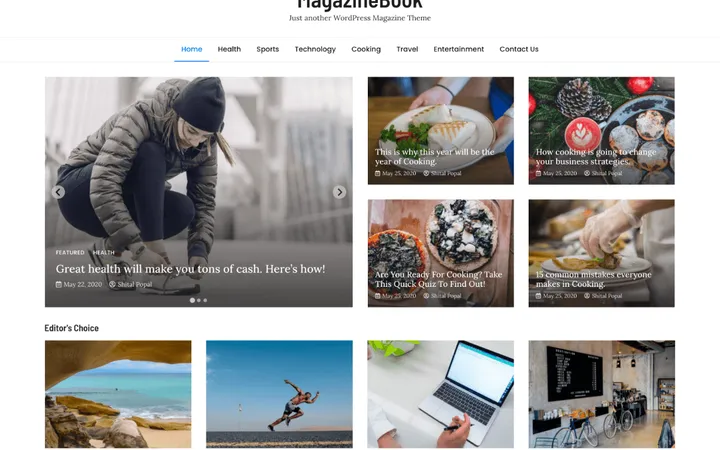
MagazineBook
A classic magazine theme with a slider, a featured grid and five post widgets

MagazineCraft
A Tailwind-built magazine theme with a responsive post grid and a cover or category banner
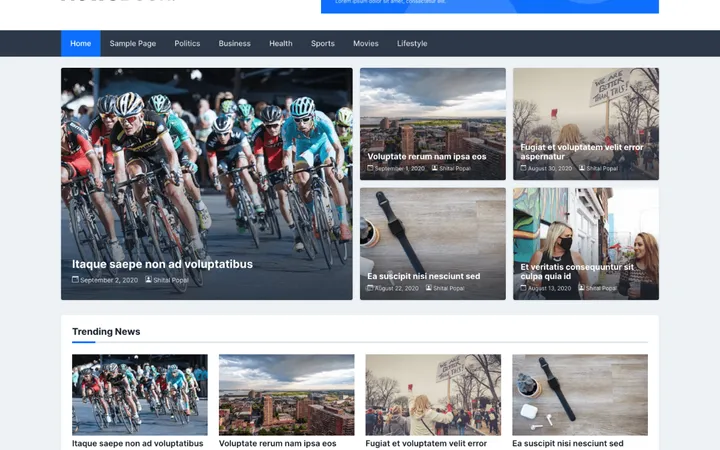
NewsBook
A compact news theme with a lead-story banner and a right sidebar
Where we stand
What this site will not do
Plenty of WordPress sites exist to funnel you somewhere. This one is trying to be genuinely useful, which mostly means saying no to things.
- No fake reviews, invented install counts, or made-up ratings. The numbers on this site are the ones WordPress.org reports.
- No hosting affiliate links. Taking referral money from hosts would quietly change what we are willing to tell you.
- No email wall in front of a tool. If the tool works, use it. We would rather you bookmark it than join a list.
FAQ
Common questions
Are these tools really free?
Yes, and no paid tier is planned. The tools run entirely in your browser, so each use costs us nothing. That is why we set no file-size cap and no daily quota; the only limit is what your browser can process.
Do you upload my images?
No. Image processing happens in your browser using the Canvas API. Your file is never sent to us or to anyone else, which you can verify yourself by opening your browser's network tab while you use the tool.
Who is behind Odie Themes?
Odie Themes is run by William Lopez. Its WordPress.org profile dates from December 2019, and its first theme was published there in 2020. Its five WordPress.org themes (MagazineBook, NewsBook, StoryBook, MagazineCraft and GutenBook) have over a thousand active installs between them. The tools are new; the themes are not.
What happened to the PRO themes?
They are discontinued, and there is nothing to buy on this site. The free versions are the ones each theme page describes. GutenBook's package still holds some code from its old paid plan that only switches on with a paid licence; the GutenBook theme page lists what that code covers.
Free · no signup · nothing uploaded
Everything here is free, and stays free
The tools run in your browser. The themes are GPL. There is no account to make and no upsell waiting at the end.